
Calendar scheduling that actually keeps up.
Meetzi connects with your calendars, checks availability, creates booking events, and helps guests receive the right confirmation without endless back-and-forth.
How it works
Set up once, then let clients book the right slot
Create your page, define your schedule, and send one link everywhere your clients already find you.
- 01
Connect your calendars
Integrate Google and Microsoft seamlessly to respect your current schedule.
- 02
Set your availability
Choose when clients can book, add buffers, and define how far in advance appointments can be scheduled.
- 03
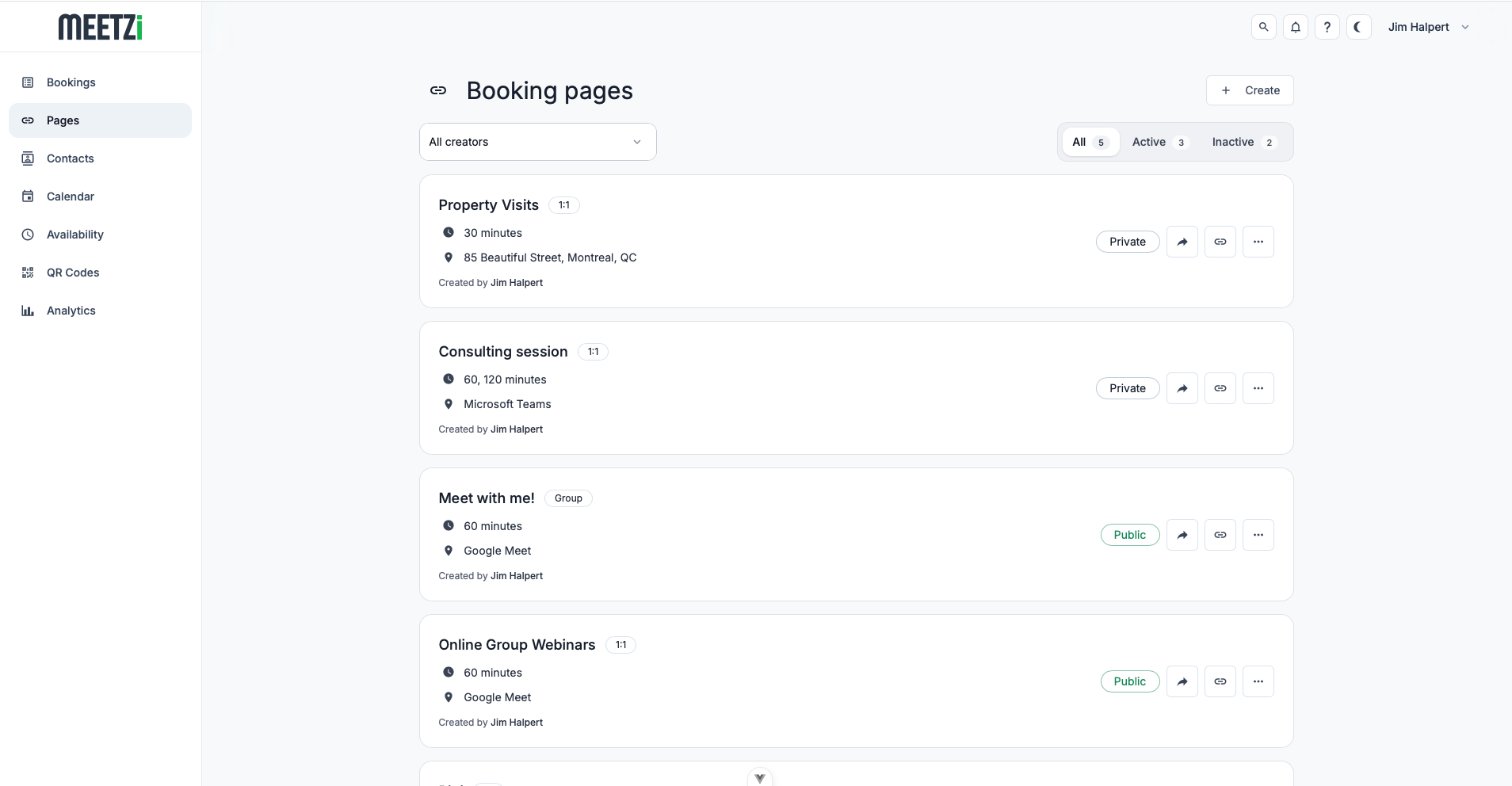
Create your booking page
Customize your name, description, durations, and availability rules.
- 04
Share your link
Send one link to clients. Meetzi checks your calendar and only shows available times.
- 05
Let Meetzi handle the event
Once booked, the event is added to the host calendar and the guest receives the right confirmation.
Features
Everything your booking flow needs to stay organized.
Meetzi helps you manage availability, avoid conflicts, and create a polished scheduling experience for every client.
Real-time calendar sync
Connect Google Calendar or Outlook so Meetzi can respect your busy time and prevent double bookings.
Create events automatically
When someone books, Meetzi adds the event directly to the host calendar with the right date, time, guest details, and meeting method.
Invite guests properly
Send calendar invites so attendees can accept, decline, and keep the meeting visible in their own calendar.
Confirmations and reminders
Send booking confirmations and reminders automatically so fewer people forget their appointments.
Buffers and booking rules
Add buffers, minimum notice, slot increments, and limits so your schedule stays realistic.
Safe calendar handling
Meetzi only uses connected calendars to power scheduling workflows, availability, and booking events.
Frequently asked questions
Create a booking page, define your availability, and share your booking link. Clients can choose an available time slot and instantly schedule an appointment.
Yes. Meetzi can connect to your calendar to help keep your availability up to date and avoid double bookings.
Meetzi automatically creates the booking, updates your availability, and can add the event to your connected calendar.
Yes. You can create multiple booking pages for different services, consultation types, durations, or meeting formats.
Yes. Clients can manage their appointments through the booking experience, making it easier to handle changes without back-and-forth emails.
Online scheduling software for client appointments
Meetzi is scheduling software designed for professionals who need a simple way to let clients book appointments online. Instead of manually comparing calendars, sending available times, and creating events one by one, Meetzi gives you a clean booking page connected to your real availability.
When your calendar is connected, Meetzi can check busy time, display available slots, and create calendar events for confirmed bookings. It is useful for consultants, service providers, freelancers, teams, and anyone who wants a smoother booking experience.
You can use scheduling rules like buffers, minimum notice, time slot increments, and booking limits to protect your time while still making it easy for clients to find a time that works.
Ready to stop scheduling manually?
Connect your calendar, create your booking page, and let Meetzi handle the scheduling flow.