Schedule clients
without the chaos.
Share one simple link. Respect busy time. Automate buffers and rules so you stay focused on your work.
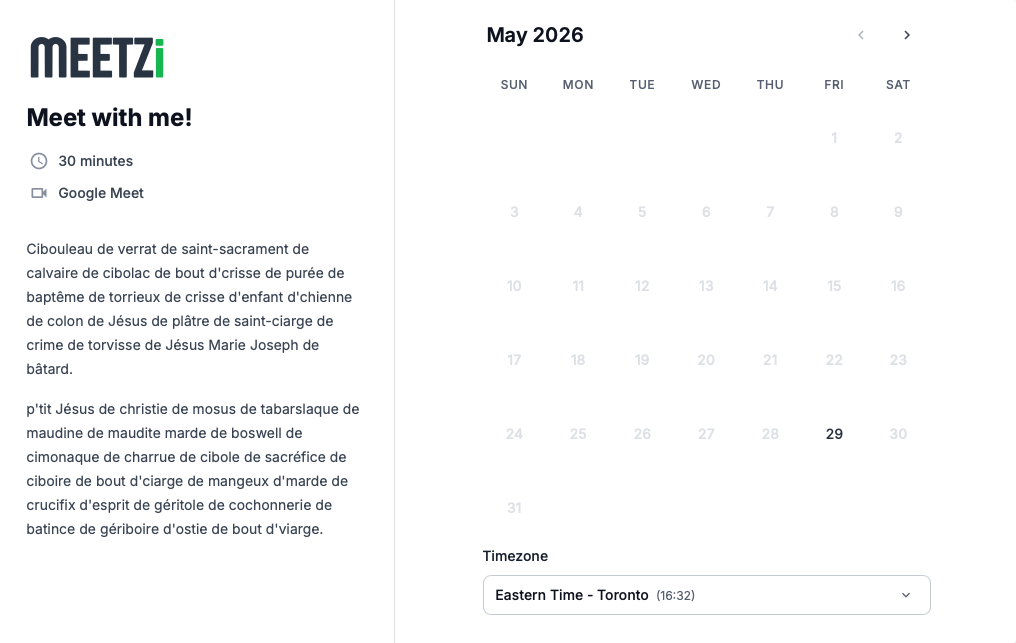
What makes Meetzi so great
Scheduling that simply works
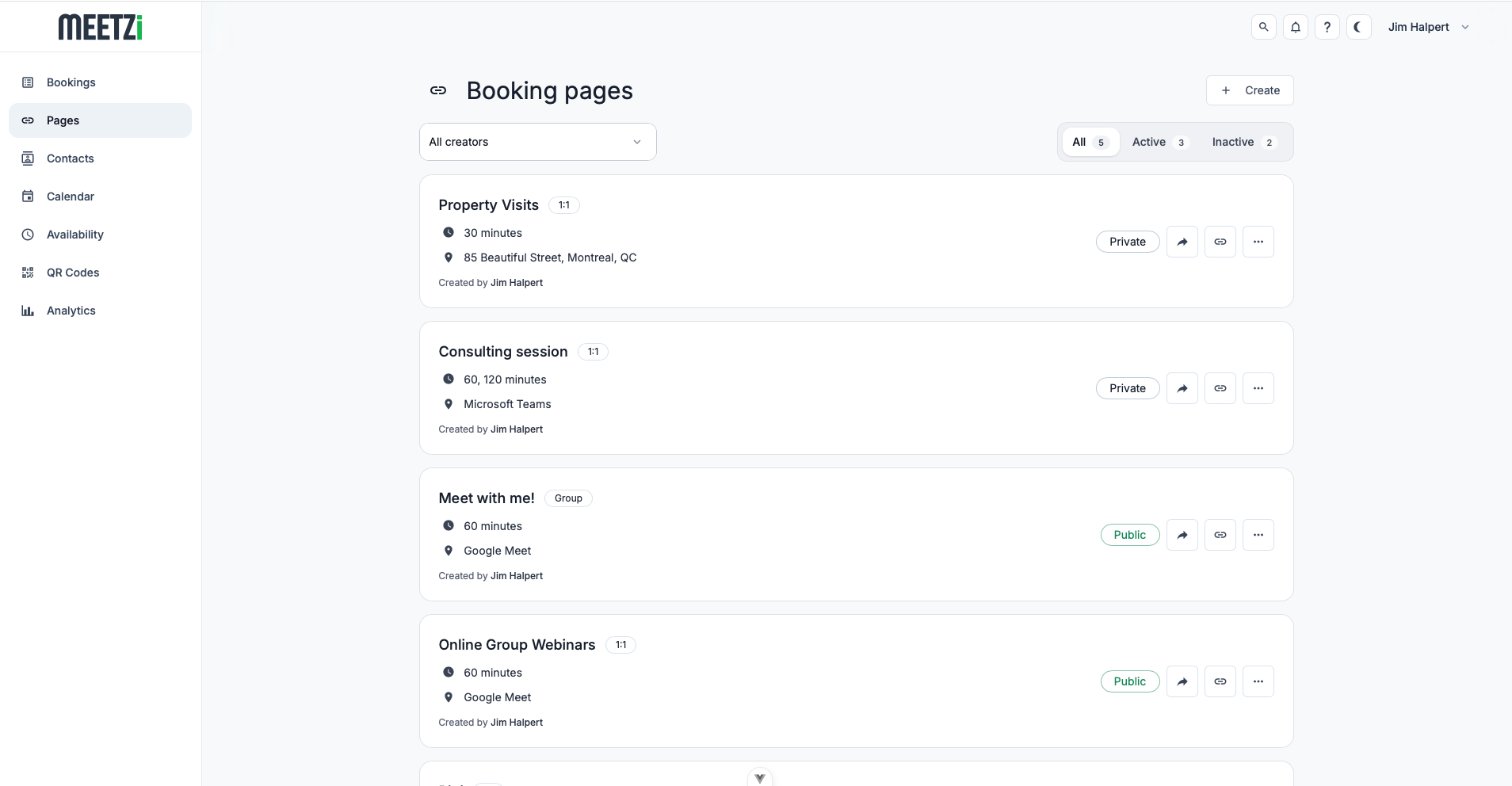
Meetzi combines scheduling, payments, and automation into one intuitive platform, helping you spend less time managing appointments and more time focusing on your clients.







Why Meetzi?
Built to make scheduling easier
Spend less time managing your calendar and more time focusing on what matters most. Meetzi handles the details so you can focus on your work.
Save time
Automate bookings, confirmations, and reminders to reduce repetitive tasks and stay focused on your day.
Stay organized
Keep your availability up to date and avoid scheduling conflicts with smart calendar synchronization.
Get paid effortlessly
Accept online payments and simplify the booking experience for paid appointments and services.
Share anywhere
Promote your booking page with shareable links and dynamic QR codes that are easy to update anytime.
Create a professional experience
Deliver a fast, modern booking experience that looks great on desktop and mobile devices.
Make it your own
Customize forms, availability, and booking settings to match the way you work.
The Process
From setup to bookings in minutes
Create a page, connect calendars, set rules, and share your simple link.
- 01
Create your booking page
Add your appointment details, meeting location, duration, and the information clients should provide before booking.
- 02
Connect your calendar
Sync your real availability so Meetzi can avoid conflicts, respect busy time, and keep your schedule accurate.
- 03
Share your link
Send clients one clean booking link so they can choose a time, receive confirmation, and show up prepared.
Frequently Asked Questions
Meetzi is an online scheduling platform that helps you manage appointments, accept bookings, collect payments, and automate your scheduling workflow.
Create a booking page, connect your calendar, configure your availability, and share your booking link. Clients can then book available time slots online.
Yes. Meetzi integrates with Google Calendar and Microsoft Outlook to keep your availability up to date and help prevent double bookings.
Yes. Once a booking is confirmed, Meetzi respects busy events from your connected calendars and updates availability in real time.
Yes. Meetzi integrates with Stripe, allowing you to collect payments at the time of booking for paid services and appointments.
Absolutely. You can define working hours, booking limits, minimum notice periods, buffers, and many other scheduling rules.
Yes. Collect the information you need before each appointment with custom text fields, dropdowns, radio buttons, and checkboxes.
Yes. You can allow clients to cancel or reschedule appointments according to the rules you configure for your booking pages.
Refund policies are controlled by the business accepting the booking. Meetzi provides the tools to manage bookings, while cancellation and refund decisions remain in your hands.
Yes. Both the booking experience and the Meetzi dashboard are designed to work seamlessly on desktop, tablet, and mobile devices.
Yes. Share your booking link directly or generate QR codes that can be used on websites, business cards, flyers, and marketing materials.
Security is a priority. Meetzi uses industry-standard security practices to protect your data and connected accounts.
Meetzi is designed for professionals, freelancers, consultants, coaches, recruiters, salons, clinics, and small businesses that want a simpler way to manage appointments.
No. Meetzi is entirely web-based, so you can access it from your browser without installing additional software.
Absolutely. User feedback plays a huge role in shaping Meetzi, and we continuously improve the platform based on suggestions from our community.